In this article
A campus screen can bring several services together without making them one system. Begin with the outcome you need: read a message, work in a course, use a campus credential, connect a device, or find an institutional service.
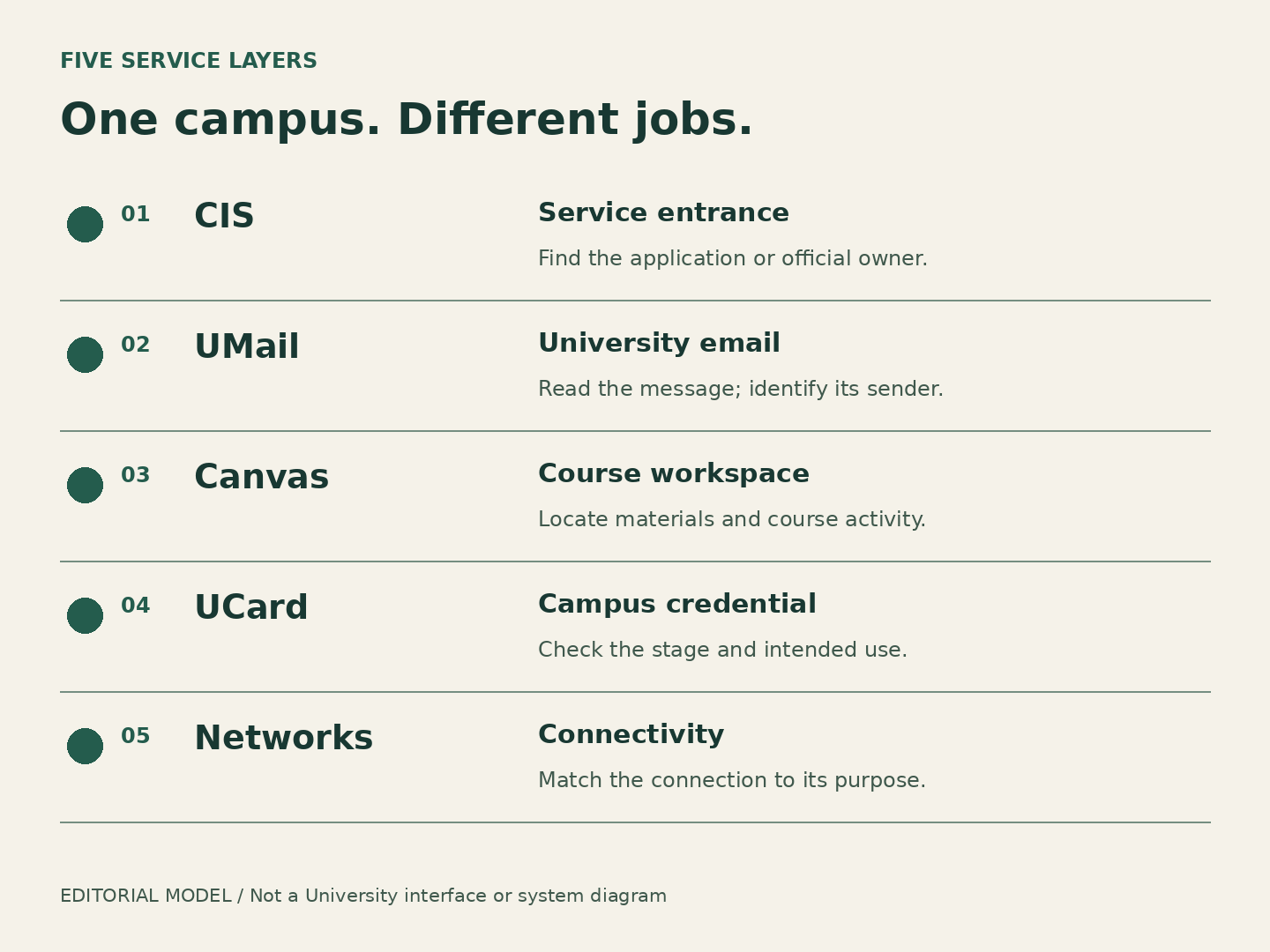
Read the map by job
- CIS · the service entrance
- Campus Information Services presents university self-service areas. A link in CIS can lead to a service whose information or decision belongs to another office.
- UMail · university email
- The mailbox is a channel for official communication. Opening it tells you whether you can read email, not whether a task described in a message has been completed.
- Canvas · course activity
- The learning environment organizes materials and interactions for courses. What an instructor has made available matters as much as whether the platform opens.
- UCard · a campus credential
- A credential and the campus service accepting it are two parts of an interaction. Reading a campus webpage does not establish that a particular door or service will accept the credential.
- Campus networks · connectivity
- The connection gets a device online. A working connection does not decide whether an application or campus service is available to you.
Shared sign-in does not mean shared authority
Think of a library building: one entrance may lead to a reference desk, a lending counter and a study room. The entrance is useful, but the people behind each counter answer different questions. The same reasoning helps online. Separate an inability to reach a service from a disagreement about what the service shows.
Use three private labels: destination, observation, desired answer. “Canvas; the assignment link opens but the instructions disagree with the syllabus; which instruction should I follow?” is a course-content question. “Canvas; an error appears before I can open any course; can someone investigate platform access?” is a technology question. Those descriptions prevent a familiar portal name from hiding the actual problem.
Worked case: one morning, three owners
Finish with a route, not another search
Use the service-route decision aid to select the work you are trying to do and whether the obstacle is technical or about content. It explains the next owner, why that owner fits and what observation to take with you. It does not inspect an account or submit a support request.
For an unfamiliar University service, start at the official service directory. Campus Arrival Atlas is independent and cannot log in or act for you. Once you reach the official owner, use its current instructions rather than treating this conceptual map as a set of screen-by-screen directions.
Source notes and scope
Public sources checked October 15, 2026. This is independent editorial interpretation. Examples are fictional; no account was tested and no service outcome is promised.
- UIT online service quick links — Official directory of service entrances, not an assertion that a reader has access.
- UIT: New student guide to IT resources — Overview of CIS, UMail, Canvas and the purposes of four wireless networks. Contact-hour conflict is not reproduced as a schedule.
- First Year Student Checklist — The first-year checklist treats CIS, UMail, orientation and UCard as distinct actions. Dated admission/deposit/housing instructions are outside this atlas.